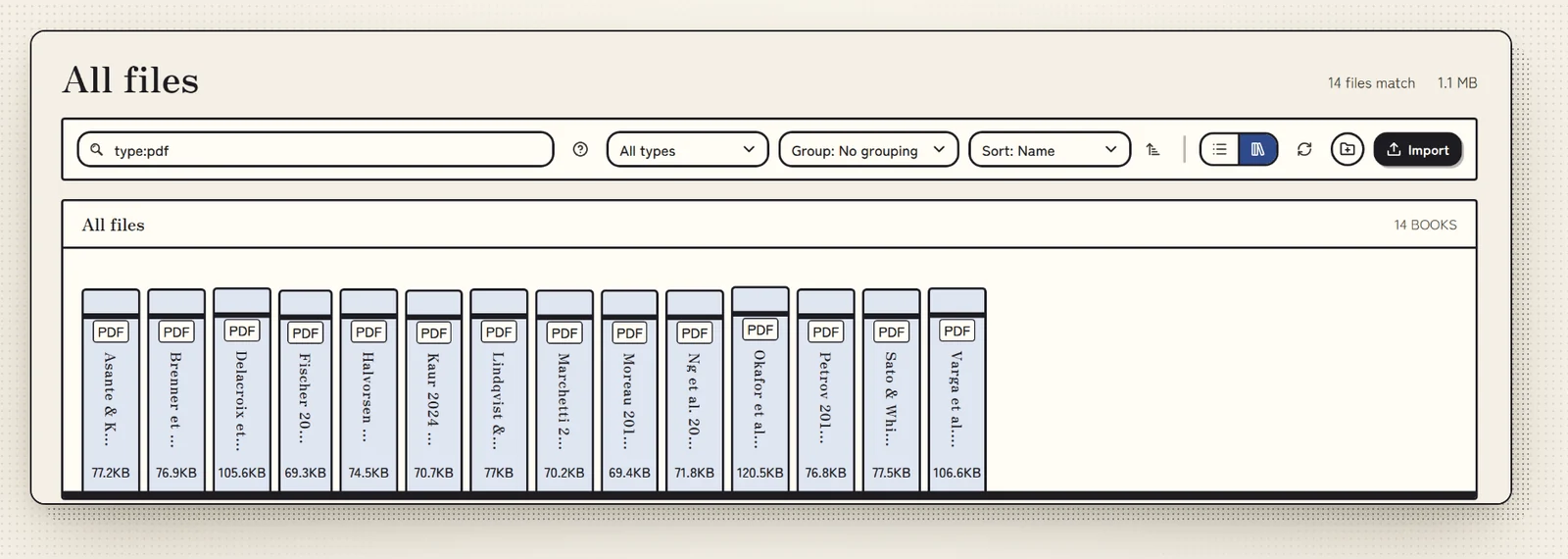
Files you own.
Each project is an ordinary folder. Notes are Markdown, and highlights sit in small files of their own, apart from the PDF. Stop using Volpi tomorrow and nothing is locked away.
Read and highlight PDFs, write linked notes, check data and write papers with citations. Each project is a plain folder on your computer.
No account. No cloud. Your files stay readable without Volpi.
The beta installers are not signed yet. Windows may show SmartScreen (More info, then Run anyway), and macOS may need a right-click, then Open. Install help
Mochi · click her
Markdown · PDF · BibTeX · CSV · SVG
Crossref · OpenAlex · arXiv · PubMed
APA · IEEE · MLA · Chicago · Harvard · Vancouver
Research scholars who are buried in papers.
You read forty papers so you can write one. Your notes live in three apps, your PDFs live in Downloads, and the deadline lives in your head.
So we put it all in one app. Your papers, notes, data and drafts sit together, so you can think about the research instead of where you put it.
I have seen your Downloads folder. We need to talk.
Volpi will not write your thesis for you. It helps you find everything you need to write it.
Each project is an ordinary folder. Notes are Markdown, and highlights sit in small files of their own, apart from the PDF. Stop using Volpi tomorrow and nothing is locked away.
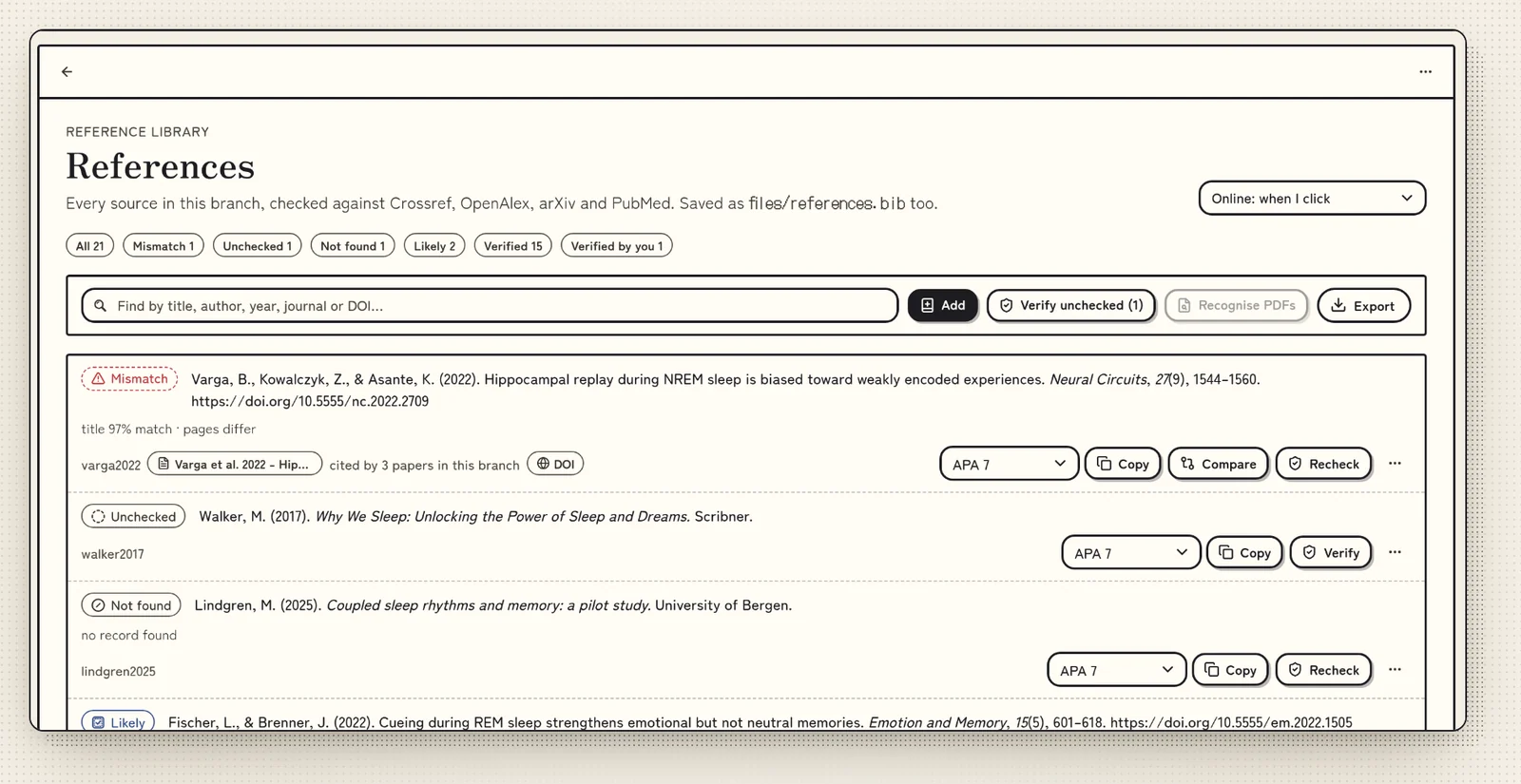
Volpi looks up a reference in Crossref or OpenAlex, or in arXiv or PubMed by its ID. It tells you if one is wrong, cannot be found or has been retracted, before it ends up in your paper.
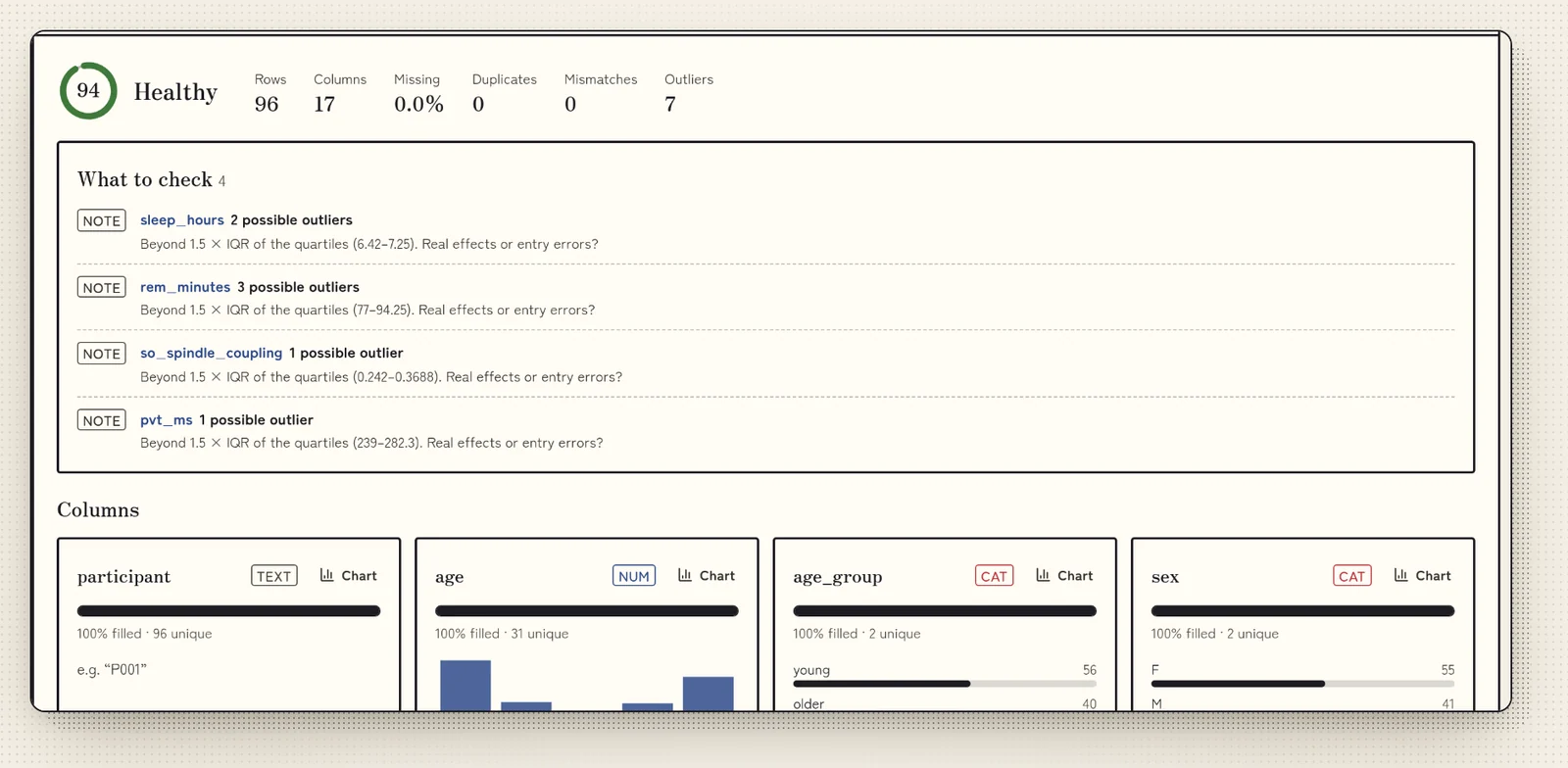
Open a CSV and Volpi points out gaps, labels written in more than one way and possible outliers. Then chart it and save the figure as SVG.
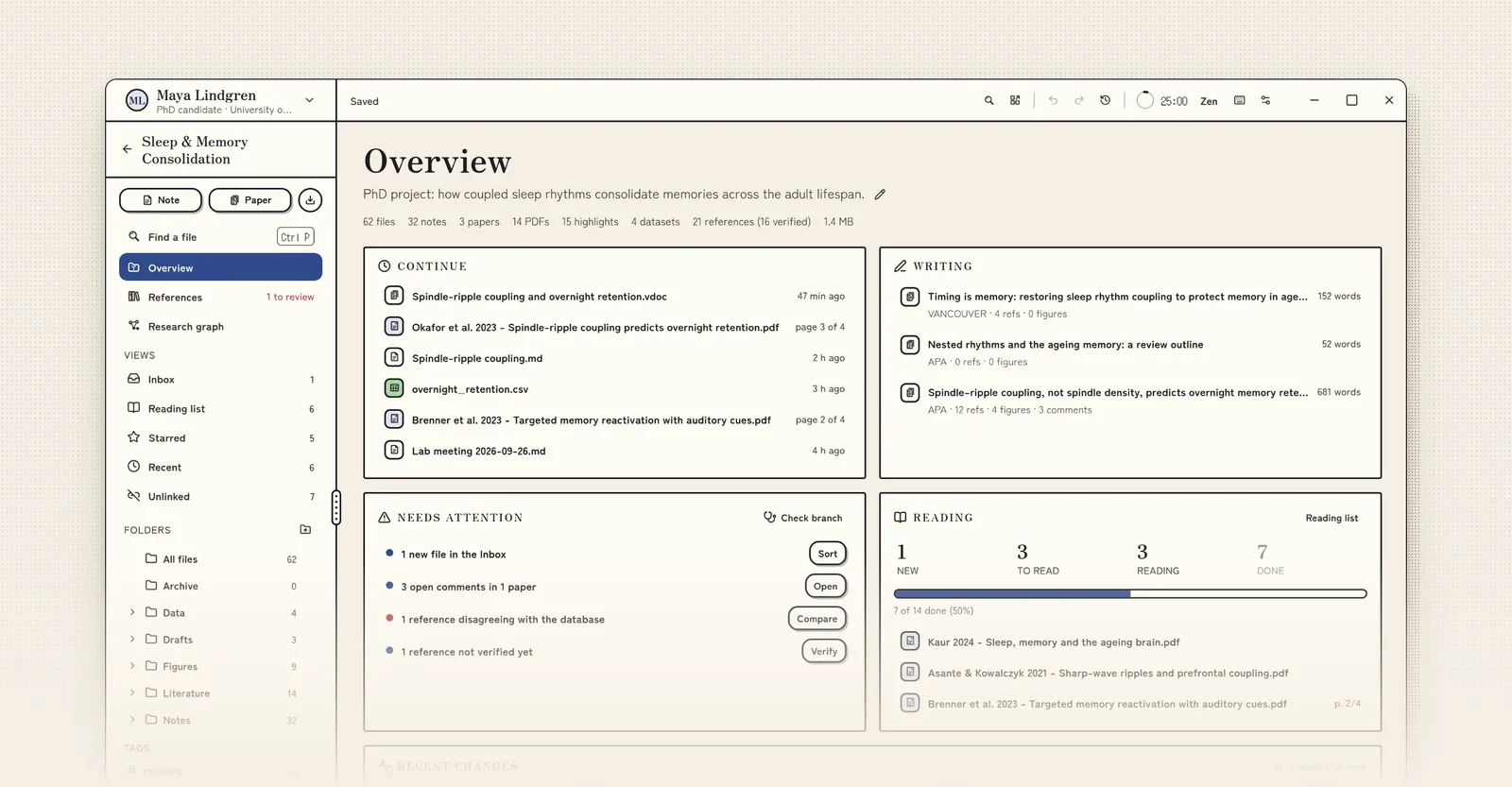
A project is a folder on your disk. Open it and the dashboard shows recent work, reading progress and what needs attention.
1 / 9
See every featureThe app looks like this page. Switch to Night here and the recording switches too. The three inks are in the app as well.
Research is private until you publish it, so Volpi keeps it on your computer.
We value your privacy and respect it.
Drafts, ideas and early results belong to you. Nobody else should see them before you choose to share them.
Interviews, surveys and health data often come with ethics approval and data protection rules. When the files stay on your disk, you decide where they are kept and who can open them.
Notes are Markdown and every project is an ordinary folder. You can open your work without Volpi, and without us.
In the library, on a train or in the field. Only reference checks and updates need the internet.
This is the first beta. These things are not supported yet.
See the roadmapBeing honest here. Scanned PDFs still stump me.
The open beta is free, for Windows, Mac and Linux. Download it, or join the Discord to tell us what you need first.
The beta installers are not signed yet. Windows may show SmartScreen (More info, then Run anyway), and macOS may need a right-click, then Open. Install help